 AgentRender
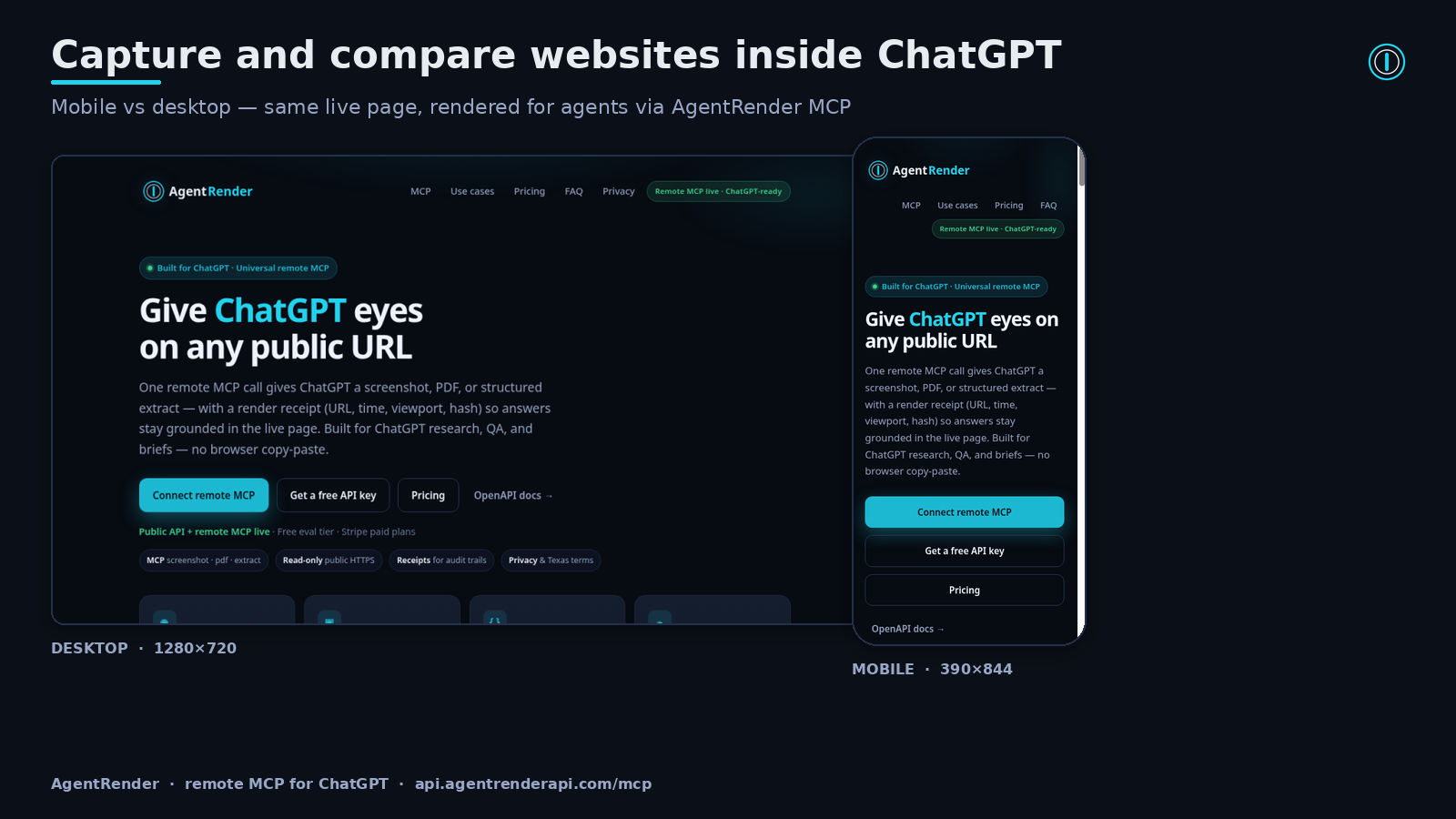
Capture and compare websites inside ChatGPT
Turn a public webpage into a screenshot, PDF, or structured extract — then keep the brief, QA check, or comparison inside ChatGPT. Each capture includes a render receipt so you know what was actually fetched.
Public http/https pages only. We block localhost, private/link-local IPs, and cloud metadata hosts. Tools do not log in or use your cookies — login walls, paywalls, CAPTCHAs, and some JS-heavy or bot-blocked pages can fail or time out. Captures are read-only.
Public API + remote MCP live · Free eval tier · Stripe paid plans
Screenshot
PNG / JPEG / WebP. Viewport or full page. Ideal for visual QA and competitive layout checks inside ChatGPT.
URL to PDF for meeting packets, archives, and handoffs — with capture time on the receipt.
Extract
Title, meta, main text, and links as structured JSON — readability-first, non-LLM extractor.
ChatGPT & MCP
Universal remote MCP at https://api.agentrenderapi.com/mcp. Tools annotated read-only / open-world / non-destructive. Same akr_… key as REST.
Remote MCP for ChatGPT / Codex
In ChatGPT, add the MCP URL as a connector and sign in (Google or email) when prompted — no API key to copy or paste.
Other MCP clients (Cursor, Claude, Codex CLI, custom agents) use the same URL with an API key. Tools:
screenshot, pdf, extract — each returns a citeable render receipt.
Universal MCP URL · LIVE
Streamable HTTP. Do not open this in a browser tab — it is an MCP endpoint, not a webpage.
https://api.agentrenderapi.com/mcp
Auth: ChatGPT connects with OAuth sign-in. Other clients send Authorization: Bearer akr_… or X-API-Key — same key as REST.
Policies: Privacy · Terms.
In ChatGPT settings, open Apps & Connectors and create a connector named AgentRender.
Use https://api.agentrenderapi.com/mcp with authentication set to OAuth. Do not open that URL in a normal browser tab.
Approve the AgentRender sign-in (Google or email). Your free account is created automatically. Using another MCP client instead? Get a key below and send it as Authorization: Bearer akr_….
“Screenshot this URL” or “Extract that page and cite the receipt.”
Also available: stdio package for Cursor / Claude Desktop — MCP on GitHub PyPI Glama mcpservers.org MCP Registry
pip install agentrender-mcp
export AGENTRENDER_API_KEY=akr_your_key
agentrender-mcp
ChatGPT workflows that work today
Concrete prompts power users run after connecting AgentRender — no browser context-switch.
Grounded research brief
Extract a public page, then write a one-page brief from title, meta, and main text. Cite the render receipt so you know which version of the page was used.
Page compare
Screenshot two competitor URLs at 1280×720, then compare above-the-fold layout, messaging, and CTAs — each claim mapped to a capture.
Visual QA check
Screenshot mobile (390×844) and desktop (1440×900). Flag issues a human reviewer would notice; attach receipt metadata for each capture.
PDF archive
Generate a PDF of a live page for a stakeholder meeting, summarize in five bullets, and include capture time and final URL from the receipt.
Structured extract
Pull title, meta, main text, and top links as JSON, then ask ChatGPT for an executive summary you can paste into a briefing doc.
Read-only by design
Tools are read-only, public-HTTPS oriented, and non-destructive. Private / loopback / link-local targets are rejected (SSRF protections).
Pricing
Live Stripe checkout for Starter / Growth / Scale.
Free tier is instant self-serve — get an akr_ evaluation key below (150 renders/mo).
Trying AgentRender in ChatGPT does not require a paid plan. Connected through ChatGPT? Check out with the same email you sign in with and your ChatGPT account is upgraded automatically.
After you Subscribe, your API key appears on the confirmation page within seconds and is emailed from hello@agentrenderapi.com. Already on the free plan with an API key (REST, local or other MCP clients)? Use the upgrade link from your limit message and your same key is upgraded instantly. Using AgentRender in ChatGPT? Check out with the email you sign in with and your ChatGPT account is upgraded automatically.
Then connect with MCP https://api.agentrenderapi.com/mcp + Bearer key — see /docs.
Policies: Privacy · Terms.
Cancel or manage billing anytime via Stripe’s customer portal (links on your Stripe receipt / billing emails).
Free
- 150 renders / month
- 10 requests / minute
- Screenshot + PDF + extract
- ChatGPT MCP access
- No credit card · instant key
Starter
- 2,000 renders / month
- 40 rpm
- API keys + receipts
- Remote MCP for ChatGPT included
Growth
- 10,000 renders / month
- 80 rpm
- Higher concurrency
- Priority support path · MCP + REST
Scale
- 50,000 renders / month
- 150 rpm
- Priority roadmap input
- Enterprise path later
FAQ for ChatGPT users & reviewers
Straight answers OpenAI directory reviewers and ChatGPT power users usually ask.
How do I connect AgentRender to ChatGPT?
In ChatGPT, add a connector with the URL https://api.agentrenderapi.com/mcp and OAuth authentication, then sign in with Google or email when asked. That creates your free AgentRender account — there is no key to copy. Codex CLI, Cursor, Claude and other MCP clients use the same URL with an API key (Authorization: Bearer akr_…) from the form below. Do not open the MCP URL in a normal browser tab.
What can the tools do — and what can they not do?
They fetch public HTTPS pages and return a screenshot, PDF, or structured extract plus a render receipt. They do not delete data, revoke keys, send messages, publish content, or mutate third-party accounts. Annotations: read-only, open-world, non-destructive.
Can I try it for free?
Yes. The free plan includes 150 renders/month and 10 rpm, with no credit card. In ChatGPT, just connect and sign in. For other clients, use the form below for an instant free key. Paid plans are optional.
Where are Privacy and Terms?
Privacy Policy covers API keys, render receipts, MCP tool output categories, retention, and subprocessors. Terms of Use cover acceptable use, public-URL / SSRF stance, Stripe billing, and governing law (State of Nebraska, United States). Support: hello@agentrenderapi.com — we usually reply within one business day.
Do you claim ChatGPT directory approval already?
Not yet. We’re preparing a directory submission. The remote MCP endpoint is live today: ChatGPT users connect and sign in; other MCP clients use a free or paid key.
How do I cancel or manage a paid plan?
Paid plans bill through Stripe. Cancel or manage your subscription via Stripe’s customer portal or the management links on your Stripe receipts / billing emails. Keys and MCP access are emailed from hello@agentrenderapi.com after checkout — see Terms and Privacy.
Is REST still available?
Yes — same capabilities over REST at https://api.agentrenderapi.com with interactive docs at /docs. ChatGPT users should prefer remote MCP; REST is secondary for API integrations.
REST quickstart (secondary)
Prefer MCP for ChatGPT. Use REST when you are wiring agents or backends directly.
Get a free evaluation key below. Set it in your environment — do not paste secrets into shared HTML or public posts.
# Load your demo key from env (never hardcode in pages or chats)
export KEY="${KEY:?set KEY to your AgentRender demo API key}"
export BASE=https://api.agentrenderapi.com

# Public health (no key)
curl -s "$BASE/health"

# Extract (Bearer required)
curl -s -X POST "$BASE/v1/extract" \
  -H "Authorization: Bearer $KEY" \
  -H "Content-Type: application/json" \
  -d '{"url":"https://example.com"}'

# Screenshot → PNG file
curl -s -X POST "$BASE/v1/screenshot" \
  -H "Authorization: Bearer $KEY" \
  -H "Content-Type: application/json" \
  -d '{"url":"https://example.com","format":"png"}' \
  -o shot.png
Full contract: openapi.json · Live docs: api.agentrenderapi.com/docs
Support
Keys, billing, ChatGPT MCP, or API help: email hello@agentrenderapi.com with subject prefix [AgentRender Support]. We aim to respond within 1 business day.
Get a free evaluation key
Instant self-serve free plan (150 renders/mo, 10 rpm). Your akr_ key is returned once in the browser — use it for REST or MCP clients like Cursor, Claude and Codex CLI (ChatGPT users don't need a key; they sign in). Prefer Subscribe above if you already want a paid plan — checkout is live.
Your free evaluation key (copy now — shown once here, and emailed to you):
Use as Authorization: Bearer … or X-API-Key. MCP: https://api.agentrenderapi.com/mcp. Plan: free · 150/mo · 10 rpm.